
Scan it.Price it.Check it.

The trading card scanner that shows its work.
Free for iPhone and iPad. Scanning has no limit.
This is a real card, scanned with the app. What happens to it below is what the app does to yours.
Move your mouse. The foil follows.
You point. It shoots.
Hold a card in view. Once it’s sharp and still, CardCapture takes the photo and names the exact printing, down to set and number.
And when a photo can’t tell, it says so.
Looking for a card
$4.85Near Mint
$2.99 to $5.00 Market price Cardmarket + TCGplayer, 8 Nov 2026A price, and where it came from.
Market price
$48.00
Condition
A card has no single true price, so CardCapture doesn’t pretend it does. It combines market prices into one estimate and shows the range when they disagree. Change the condition and watch what moves.
Figures for this card from TCGplayer and Cardmarket on 8 November 2026. In the app they stay current, each with its source and age.
Look closer.
Counterfeits are printed differently. CardCapture looks at the dot pattern, the ink, the type and how the foil moves. Drag the glass across the card, then swap the print.
Each check found what a press leaves behind.
- Print screen patternHalftone screen found at about 150 lines per inch, as an offset press produces.
- Ink densityText ink reaches L* 16 against the card’s own white, a press black.
- Foil behaviourThe shine sweeps across the card and changes colour.
- TypographyCard name is set at 3.49 mm, the expected size.
Example readings in the app’s own words; the copy is simulated. A photo cannot prove a card genuine, and the app never claims it can.
Slide the print. Watch the grade.
Photograph the front and the back. CardCapture measures centering, corners, edges and surface, and estimates what the card could get, before you spend money sending one in.
Held back by
Uses the app’s own scale, with a clean back, edges and surface. It’s CardCapture’s estimate, not a PSA or BGS grade. If the photos can’t support it, nothing is charged. Three gradings are free.
A whole page. One photo.
Photograph a page. The cards on it are identified and priced in reading order, and any it isn’t sure of go to the top.
Real cards and real market figures from 8 November 2026. Two of these the app was less sure of. Whole pages are part of Pro. Single cards and stacks stay free.
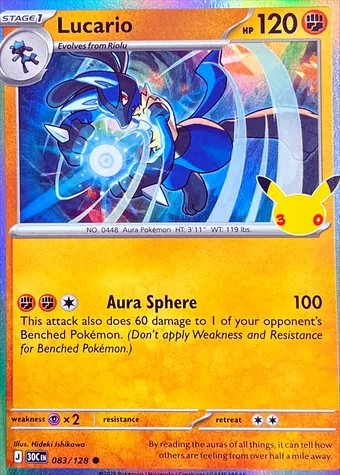
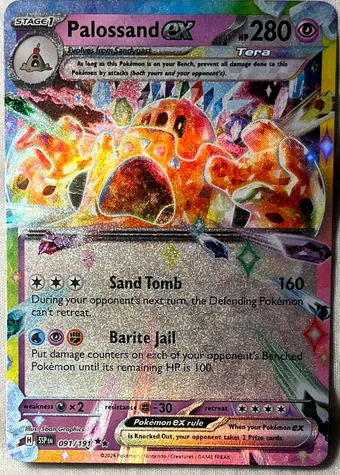
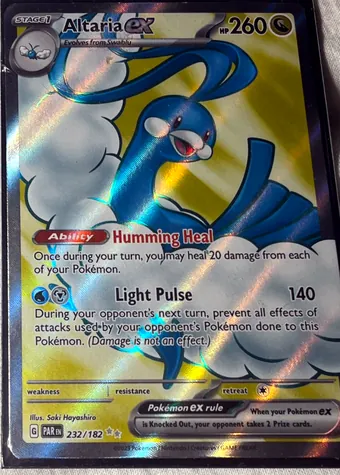
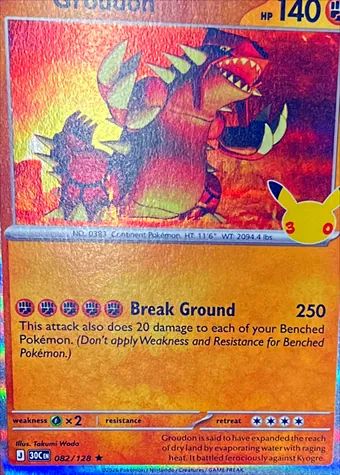
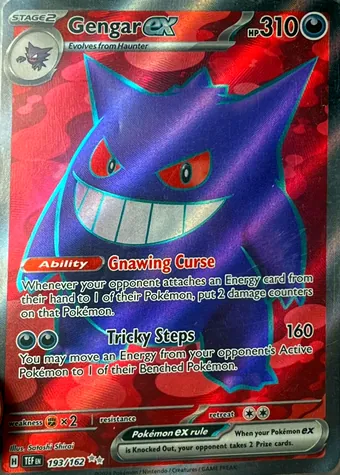
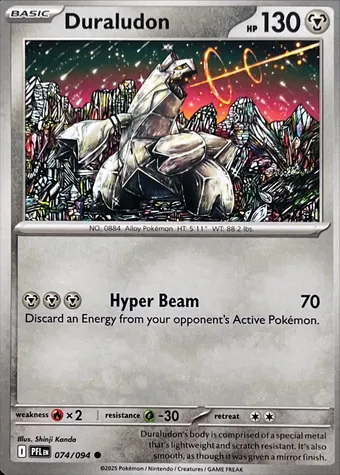
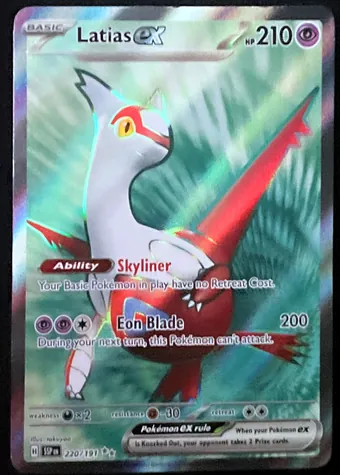
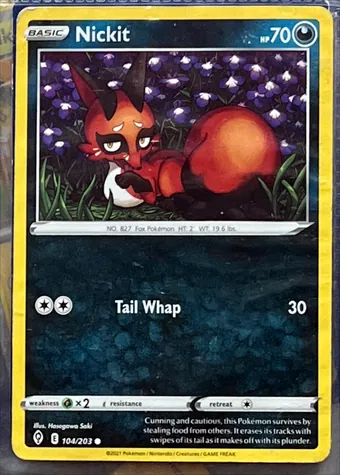
Fifteen seconds.
The whole app in one take. Turn the sound on.
And the rest of it.
Deal a stack
Keep the camera running and lay cards down one after another. It catches each one by itself, no tapping.
Graded slabs
Reads the label on a PSA, CGC, Beckett, SGC or TAG slab, grade and certificate number, and links to the grader’s own lookup.
Shop eBay
New boxes, bundles, singles and slabs at the cheapest Buy It Now listing for that exact product, with postage to you. Listings are eBay’s own and open on eBay.
Trade at the table
Your cards on one side, theirs on the other. Scan both and the scale shows if it’s fair: within 10% either way, because prices are estimates.
Card passport
Record a card’s condition before it ships or goes for grading. When it’s back, scan again: what changed, and does the cut still match?
Your year in cards
Find of the year, climber of the year, your best streak and favorite set, on one card made for sharing.
Collection and insights
Your cards with pictures and value, the biggest risers and fallers, set completion, and price alerts on the cards you own.
Private by design
No ads, no analytics, no tracking, and no account needed. Your collection lives on your phone, and in your own private iCloud if you choose.
That was a demo. This is the app.
The app’s own screens, on real cards.
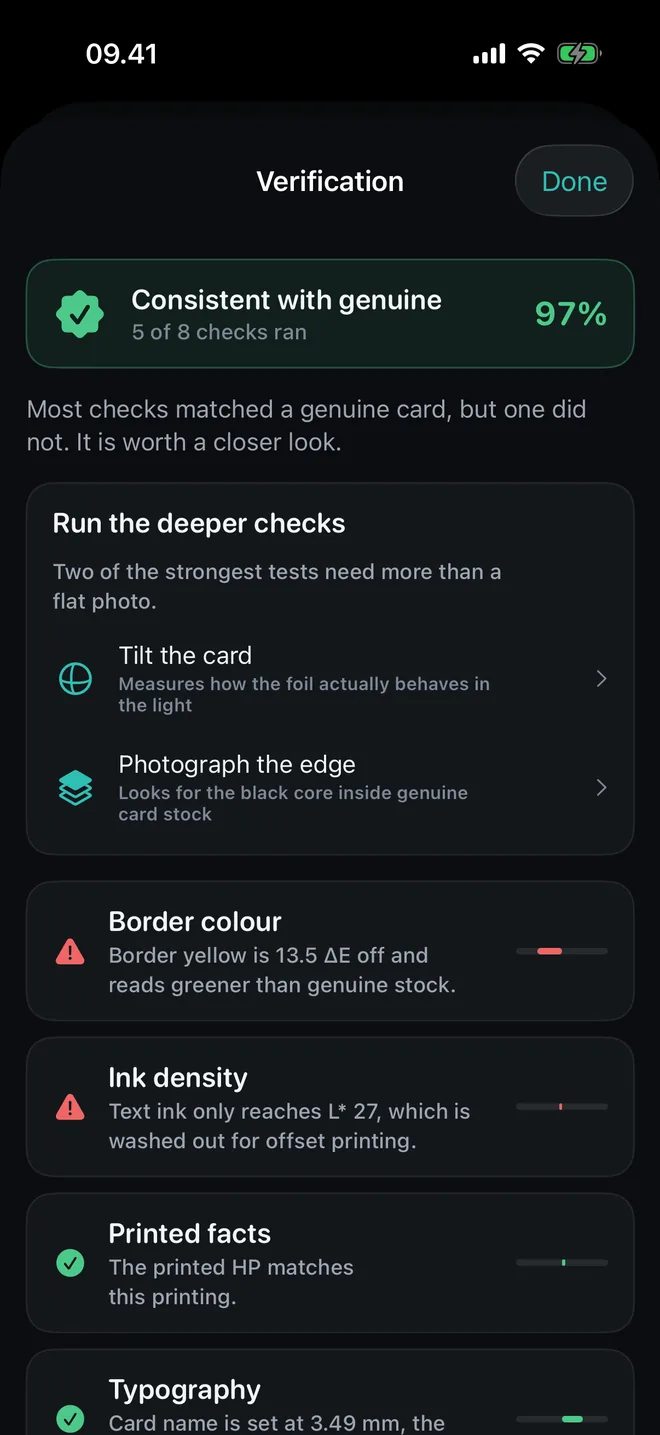
Every check, and what it found
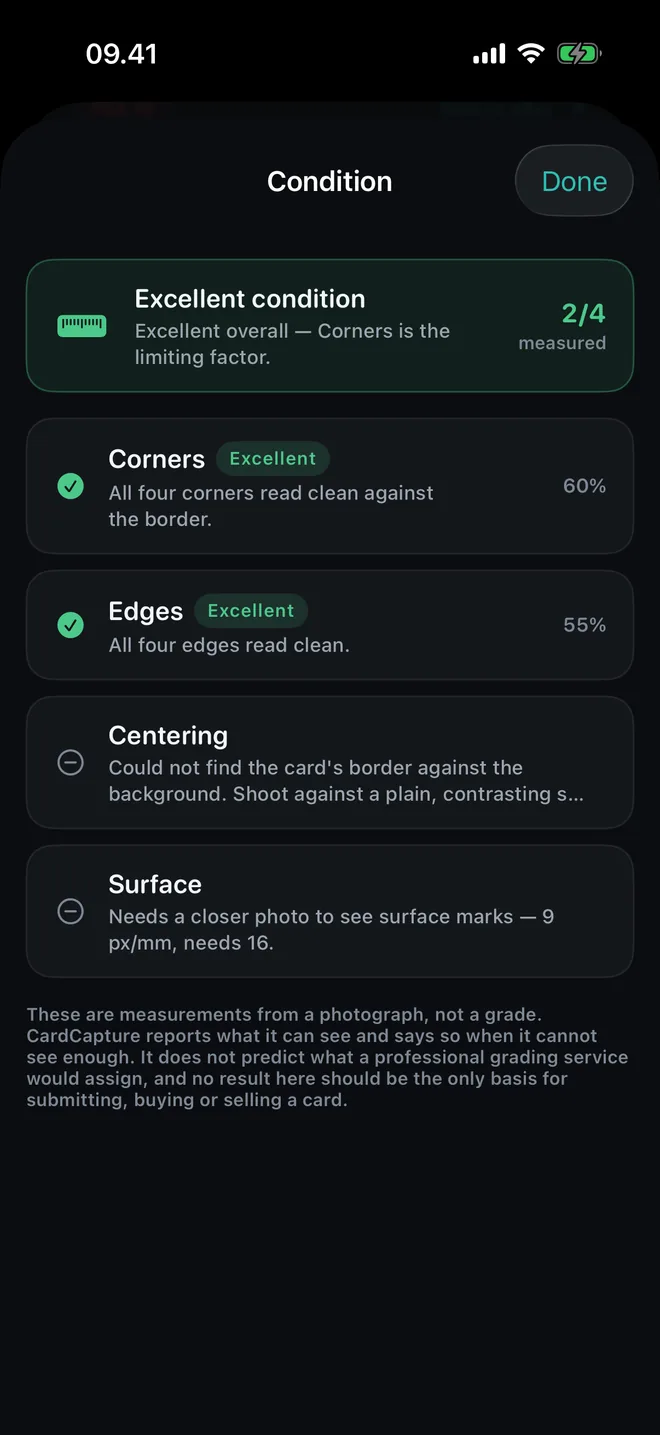
What it could not measure, too
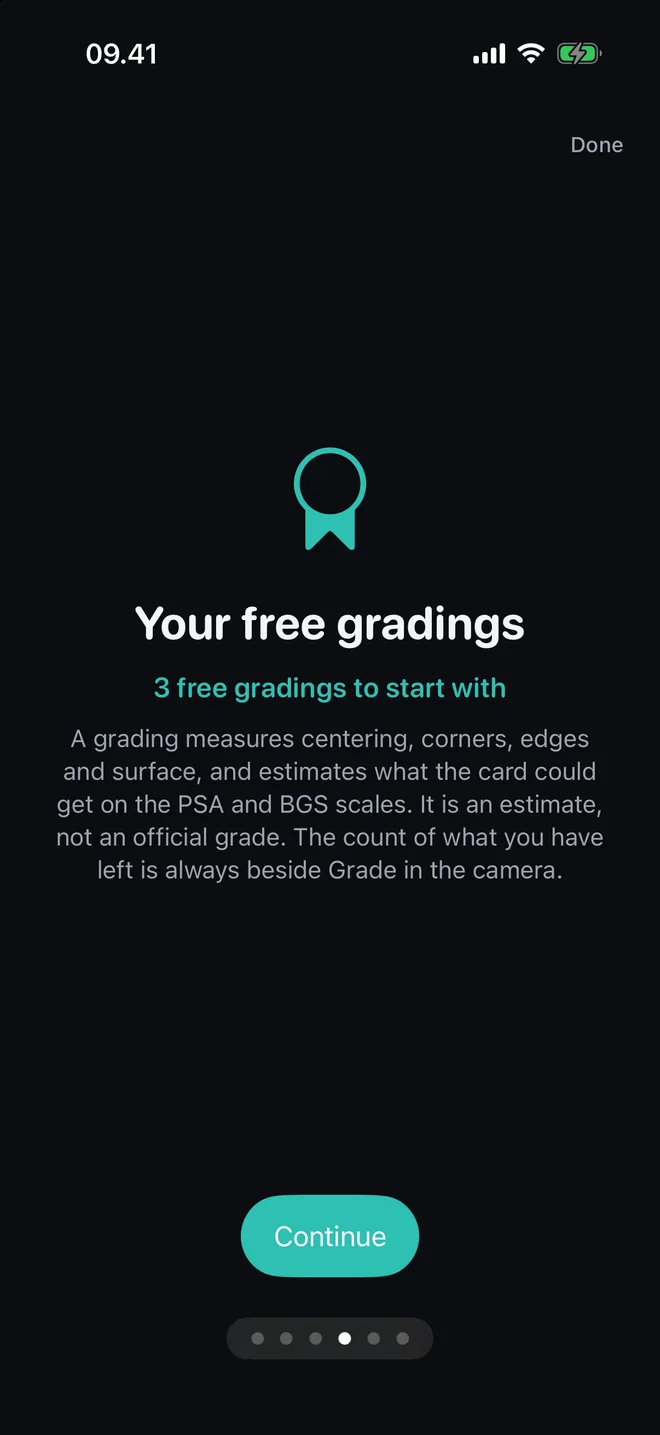
Three gradings to start with
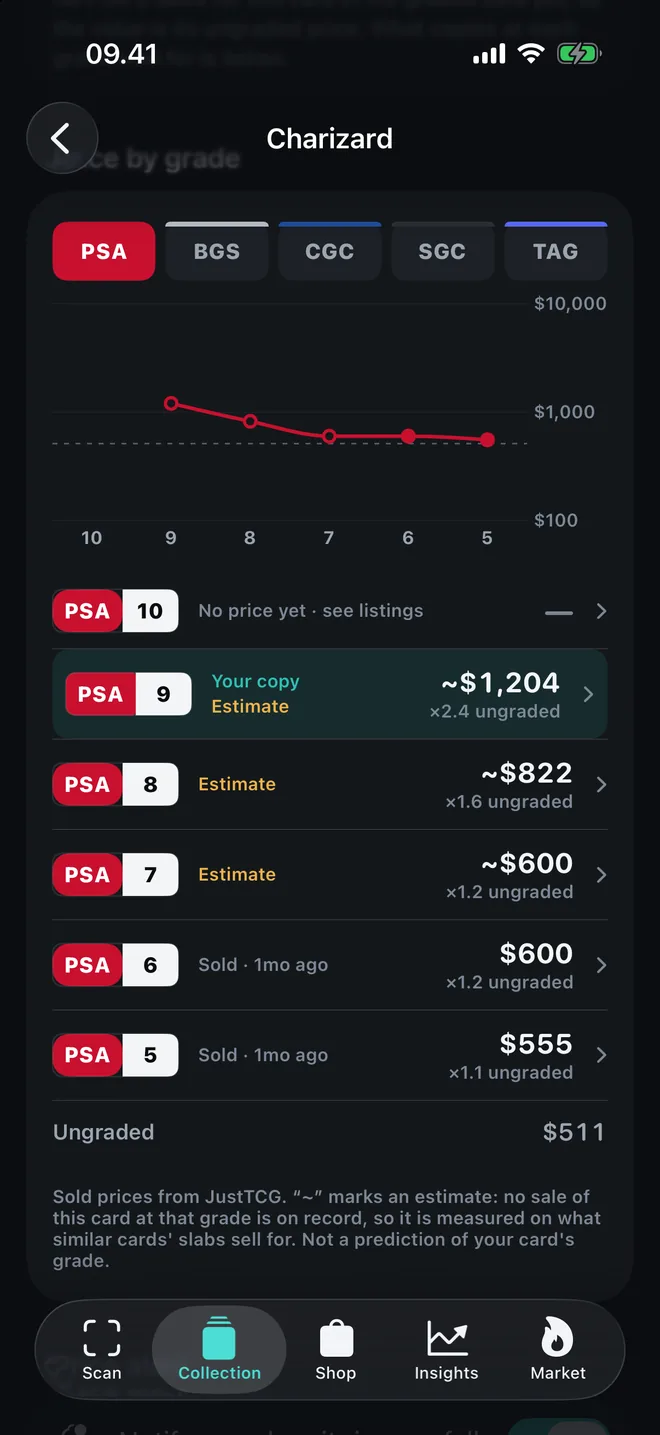
Every grade, priced
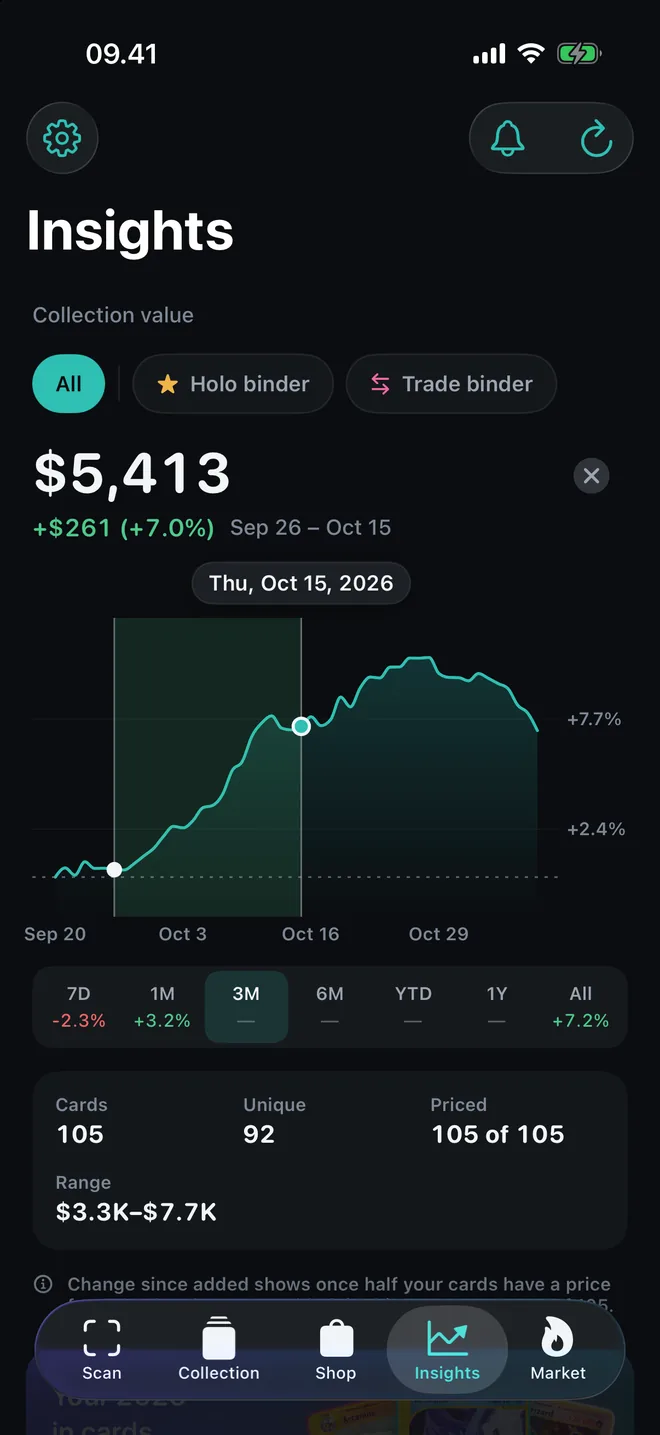
What the collection is worth
Nine games. Pokémon in two languages.
- Pokémon
- Magic: The Gathering
- Yu-Gi-Oh!
- One Piece
- Lorcana
- Digimon
- Dragon Ball Super
- Union Arena
- Gundam Card Game
Market prices cover Pokémon, Magic: The Gathering, Yu-Gi-Oh!, One Piece, Lorcana, Digimon, Dragon Ball and Union Arena. Where no source is reliable, as with the Gundam Card Game so far, the app says so rather than guess, and one tap finds the card for sale.
CardCapture is an independent app and is not affiliated with or endorsed by the card publishers. All trademarks belong to their owners.
What it costs
Scanning is free. Pay for gradings, binder pages and the full working, or don’t.
Free
$0
- Single cards and stacks: scan as many as you like, with no limit
- Every scan with the card, its price and sources, the print check and the condition
- Three gradings, front and back
- Collection, insights and price alerts
- Magic and Lorcana price history is never locked
CardCapture Pro
- $4.99a month
- $29.99a year · save 49%
- $79.99once · no renewal
Monthly and yearly both start with 14 days free.
- A whole binder page in one photo
- Unlimited gradings
- Price history for every card
- Every measurement behind each check
- CSV export
Gradings, one at a time
Only need a grading or two? One for $0.99, five for $2.99. One payment, no renewal.
No surprises
- Scanning has no meter and no countdown.
- You choose when to be reminded that a trial is ending.
- If the photos can’t support a grade, you’re told what to change and nothing is charged.
- Cancel any time in Settings › your name › Subscriptions. Your collection stays yours.
Prices are in US dollars; the App Store shows the price in your currency. One free trial per Apple Account. Subscriptions renew automatically unless cancelled at least 24 hours before the end of the period, and are managed in your Apple Account settings.
Fair questions
How accurate are the prices?
As accurate as the markets behind them, and it tells you how sure it is. A card has no single true price, so CardCapture takes a weighted median of market figures, where completed sales and recent figures count most, and shows the range when markets disagree. Asking prices on eBay and Amazon are shown for context but never count. For a slab, it won’t invent a graded price, it links to what graded copies actually sold for.
Can it tell if a card is fake?
Not with certainty. A photo can’t prove a card is genuine, and CardCapture never claims it can. It checks the print the way an expert would, dot pattern, ink, type, how the foil moves when you tilt it, and whether the printed details match that printing. You get a verdict in words, a probability when enough checks ran, or “Inconclusive” when they didn’t. A reason to look closer, not a certificate.
Is the grade a real PSA grade?
No. It’s CardCapture’s own estimate on a PSA-style and a BGS-style scale, from photos of the front and the back. Only a grading company can give a card a grade. Use it to decide which cards are worth sending in. If the photos can’t support an estimate, you’re told what to change and nothing is charged.
Does it work offline?
For scanning, yes. For fresh prices, no. Identifying, checking and measuring all happen on your phone; no photo is sent anywhere to be recognized. English Pokémon cards are recognized with no connection at all, because that catalog is built in. Other games download their catalog once, then work offline too. Offline, a card you’ve priced before shows its last price and how old it is.
Which games does it work with?
Pokémon (English and Japanese), Magic: The Gathering, Yu-Gi-Oh!, One Piece, Lorcana, Digimon, Dragon Ball Super (Fusion World), Union Arena and the Gundam Card Game: all identified, checked and measured. Where no source is reliable, as with the Gundam Card Game so far, it says so rather than show a made-up number, and one tap finds the card for sale.
What does it cost?
Scanning single cards and stacks is free, with no limit. Three gradings are free. After that, buy one for $0.99 or five for $2.99, or get CardCapture Pro at $4.99 a month, $29.99 a year or $79.99 once. Pro adds unlimited gradings, whole binder pages, price history, every measurement and CSV export. Both subscriptions start with 14 days free. Prices are in US dollars; the App Store shows yours.
Do you sell my data?
No, there’s nothing to sell. CardCapture has no ads, no analytics and no tracking. Its one server, a price relay, passes lookups on and keeps no record of who asked. To keep count of the three free gradings it uses Apple’s DeviceCheck, which says nothing about who you are. Your collection lives on your phone, and in your own private iCloud if you choose; nobody else can read it, us included. Price lookups name a card, never you. On the App Store, the privacy label says “Data Not Collected”.
Is there an Android version?
Not yet. CardCapture is for iPhone and iPad with iOS 17 or later.
How do I scan a whole binder?
One page at a time, with Pro. Switch the scanner to Page, hold your phone square over the page, check the number of cards in view, and take the photo. The cards are identified, priced and listed in reading order, with any it isn’t sure of at the top. Then add them all. Single cards and stacks stay free. For a print check, scan the card on its own.
Know what’s in your binder.
Free for iPhone and iPad. Scanning has no limit.
On a computer? Point your phone’s camera here.